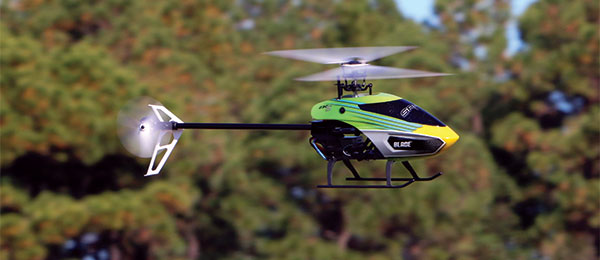
Understanding the Horizon Hobby Blade Nano S3 Setup and Channel Configuration
The Blade Nano S3 operates on a completely different control architecture than larger flybarless helicopters like the Blade 230 S or 235 S. Because it relies on an ultra-compact, all-in-one receiver, ESC, and flybarless board paired with micro linear servos and a direct-drive motor tail, its channel layout and internal mixing are specialized for ultra-micro platforms.
Why Throttle and Pitch Seem Tied Together
If your throttle input appears directly linked to pitch travel with no independent control, it typically comes down to non-computer transmitter bind mode or internal flight controller overrides:
-
Non-Computer Bind Mode: If you bound the Nano S3 without specifically initializing "Computer Radio Mode," the flight controller assumes a basic, non-programmable 4-channel transmitter is being used. In this mode, the board takes pure throttle input on Channel 1 and internally mixes its own pitch curve to move the swashplate.
The Fix: To unlock independent Pitch (Ch 6) and Throttle (Ch 1) control, put the heli into bind mode, power up your transmitter in bind mode, and hold FULL RIGHT RUDDER on the transmitter stick until the flight controller completes binding. This signals the board to accept standard Spektrum computerized mixing and custom pitch curves. - Stability Mode Pitch Overrides: Even in computer mode, when operating in Stability Z or standard Stability Mode (indicated by a Blue or Green LED), the Nano S3's flight controller intercepts pitch commands to auto-level and limit bank angles. Pitch only follows your radio's custom Pitch Curve directly when you switch into 3D / Agility Mode (Red LED).
Channel Mapping & Functions (Aux 5 & Aux 2)
Unlike larger Spektrum-based helicopters that use Channel 7 (Aux 2) for active tail gain adjustments or flight mode toggles, the Nano S3 skips Channel 7 entirely to fit its micro-flight controller architecture:
| Channel | Function | Notes |
|---|---|---|
| Ch 1 | Throttle | Main ESC motor speed control |
| Ch 2 | Aileron | Cyclic roll control |
| Ch 3 | Elevator | Cyclic pitch control |
| Ch 4 | Rudder | Tail motor ESC speed control |
| Ch 5 | Flight Mode / Aux 0 | Controls internal flight modes via GEAR channel (Stability Z, Stability, 3D) |
| Ch 6 | Collective Pitch / Aux 1 | Swashplate collective travel (active in computer bind mode) |
| Ch 7 | Not Used (No Aux 2) | Tail gain is fixed internally; Channel 7 input is ignored |
| Ch 8 | Aux 5 (Panic Recovery) | Triggers internal Panic / Rescue leveling system |
What Does Aux 5 Do?
Aux 5 is assigned to Channel 8 on standard Spektrum setups to trigger Panic Recovery. When a switch or momentary button mapped to Aux 5 is activated, the flight controller instantly levels the swashplate upright and applies positive collective pitch to recover the helicopter from an unstable trajectory.
Why Is There No Aux 2?
On 6-channel or 8-channel Spektrum transmitter profiles configured for the Nano S3, Aux 2 (Channel 7) is skipped because the onboard micro gyro tail gain is fixed in the receiver firmware. Rather than utilizing Channel 7 for manual gyro tuning as a larger helicopter would, Horizon Hobby mapped the panic recovery trigger directly to Channel 8 (Aux 5) to align with their micro-AS3X/SAFE channel mapping standard.
Setup Tip: Ensure your transmitter is set to a standard Helicopter model type with "1 Servo Normal" (Normal Swashplate geometry), and remember to re-bind with full right rudder to ensure pitch and throttle curves remain fully independent.