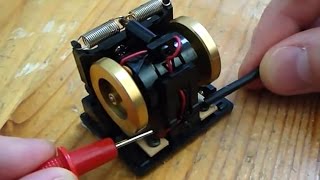
Futaba GY-401 Gyro Comprehensive Setup Guide
This guide provides a step-by-step procedure for properly setting up and tuning the Futaba GY-401 gyro on radio-controlled helicopters to achieve mechanical alignment, solid tail hold, and clean stops.
Step 1: Initial Transmitter & Mechanical Preparation
- Transmitter Endpoints: Set Channel 4 (Rudder) endpoints to
100%for both left and right directions. (Note: Endpoints affect piro rate, not total tail slider throw, and will be fine-tuned later.) - Trim & Subtrim: Ensure rudder trim and subtrim on your transmitter are centered at
0. - Power On in AVCS Mode: Power on the system in Head Holding / AVCS mode (using your transmitter's gyro gain switch or menu) and wait for the gyro to initialize.
- Note: A blinking LED indicates an uncentered gyro state, which will resolve after setting the mechanical neutral position.
- Switch to Normal Mode: Switch the gyro gain setting on your transmitter to Normal Rate mode (gain setting under 50% on JR/Spektrum transmitters or configured accordingly on Futaba).
Step 2: Mechanical Centering & Limit Setup
The objective of this step is to achieve maximum pitch slider travel in both directions without binding the servo.
- Check current tail slider travel in both directions.
- Adjust Gyro LIMIT: Dial the
LIMITpot on the GY-401 gyro to ensure the servo does not strain or make a buzzing/binding sound at full left or full right stick input. - Center Servo on Boom:
- If the slider achieves full throw in one direction but starves in the other, loosen the tail servo boom clamp screws slightly.
- Slightly slide the servo mount along the tail boom toward the side needing more travel.
- Increase the
LIMITpot on the GY-401 as additional mechanical travel is opened up.
- Repeat adjustments until the tail pitch slider achieves full travel in both directions with no binding, then firmly tighten the servo boom clamps.
Step 3: Trimming Mechanical Neutral (Hover Test)
Establishing proper mechanical neutral ensures the gyro has an accurate reference point for stopping piros cleanly without tail drift.
CRITICAL SAFETY REQUIREMENT: Do NOT enable Revolution Mixing (REVO / Tail Rotor Mix) on your transmitter when using the GY-401 gyro. REVO mixing must remain completely disabled.
- Verify the gyro is in Normal Mode before flight test initialization.
- Spool up the helicopter on a smooth surface or perform a low hover:
- If the tail drifts or rotates, adjust Channel 4 subtrim (or main trim) on your transmitter to counteract the rotation until the tail holds steady in a hover with zero rudder stick input.
- If you cannot safely adjust subtrim while hovering, land, make incremental adjustments, and re-test until a stable hover is achieved.
Step 4: Storing Neutral into AVCS / Head Hold Mode
Once mechanical neutral hover trim is established in Normal mode, the neutral position must be saved into the GY-401's memory for AVCS mode.
Primary Method (Power Cycle):
- Land the helicopter and power down the system.
- Switch your transmitter gain setting to AVCS / HH mode.
- Power the helicopter back on. Upon startup, the GY-401 automatically stores the current rudder subtrim/trim position as its absolute center reference.
Alternative Method (Gain Toggle Trick):
- With the helicopter powered on, rapidly toggle your transmitter's gyro gain switch between Normal mode and AVCS mode 3 times in under 1 second, ending in AVCS mode. The gyro LED will acknowledge the saved position.
OPERATIONAL RULE: Always power on the helicopter with the transmitter in AVCS / HH mode. Never alter transmitter rudder subtrim or trim while operating in AVCS mode.
Step 5: Flight Tuning & Pirouette Rate Adjustments
- Gyro Gain Adjustment: Fly the helicopter in AVCS mode. If the tail wags back and forth rapidly, reduce the gyro gain on your transmitter until the tail remains solid without oscillating.
- Pirouette Rate Setup: Adjust Channel 4 Dual Rates or Endpoints (ATV) on your transmitter to set your preferred rotation speed:
- Increasing Channel 4 endpoints increases piro speed; decreasing endpoints slows it down.
- Note: Tail torque from the main rotor allows faster nose-left piros. To equalize rotation rates, set your left endpoint slightly lower than your right endpoint (e.g., 60% Left / 70% Right as a starting baseline).
- Never attempt to adjust rotation speed or travel using the
LIMITdial on the GY-401 gyro—the limit dial is reserved strictly for mechanical binding prevention.